AI Cartoons for Kids: How to Pick Safe, Educational Ones
Most AI cartoons for kids are mass-produced and unvetted. Use this parent checklist for ads, chat, filtering and lessons to pick safe, educational ones.
 Pixley Team
Scroll through any kids' video feed for five minutes and you will find them: cartoon animals with glossy fur, a song that loops for forty minutes, a plot that goes nowhere. Nobody signed their name to it. Nobody checked it against a lesson. A model generated it, an upload script posted it, and an algorithm decided your four-year-old should see it next.
That is the problem with a lot of AI cartoons for kids. The technology is not the villain. The pipeline around it is, because it is built for volume and watch time, not for a child's development.
So the useful question for a parent is not "which AI cartoon tool is best?" It is "what makes an AI cartoon safe and educational for a 2 to 8 year old?" This post gives you a checklist you can run in about two minutes, explains how to tell the main types of AI cartoons apart, and says plainly where Pixley fits and where other tools fit better.
Why parents are right to be wary of AI cartoons for kids
Your instinct that something is off is correct. Generating a cartoon used to cost a studio months of work. Now it costs a few cents and a prompt, so the supply of kids' videos is no longer limited by anyone's judgment about what kids need.
The risks are specific. Mass-produced videos often have no coherent story, so children watch characters do random things in a stream of bright color and noise. Songs and scenes repeat because repetition holds attention cheaply. Some videos pair familiar characters with content no parent would pick. And because the uploader is often anonymous, there is no one to complain to when a video goes wrong.
Pixley's own guide on good screen time vs bad screen time makes the same point from the other direction: what a child does with a screen matters more than the minutes on the clock. A passive feed asks nothing of a child except to keep watching.
Here is the stance this post takes. Wariness is not anti-technology. It is the right default for any content produced without a person responsible for what a small child sees. Keep the wariness. Then pair it with a checklist, so you are judging the product and not just reacting to a vibe.
Three kinds of AI cartoons: feed content, show brands, and tools your child creates with
Not all AI cartoons for kids are the same kind of thing, and lumping them together is why the conversation gets muddy. There are three types, and each needs a different level of scrutiny.
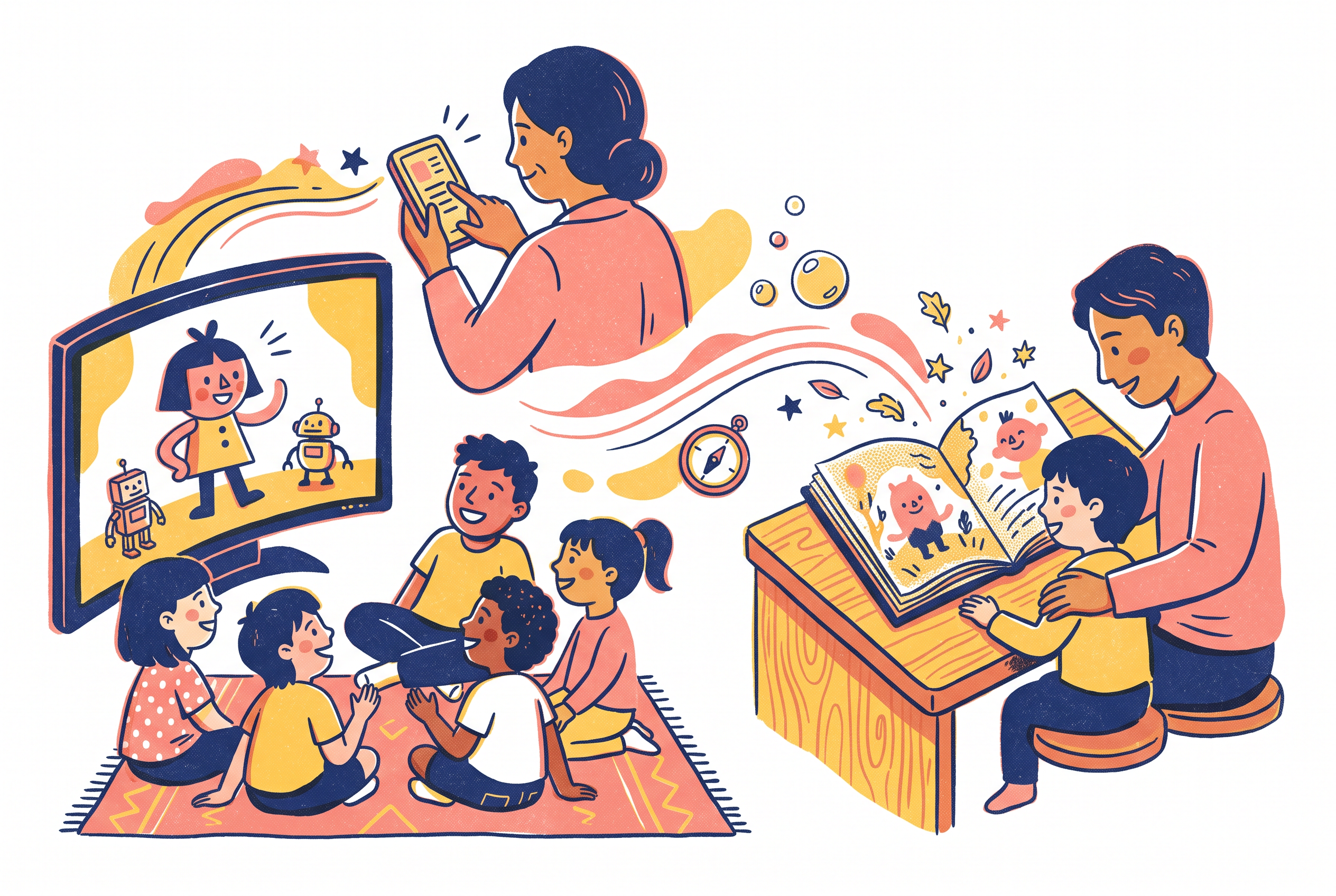
Feed content. These are videos that arrive through an algorithm on a general video platform. The uploader may be a channel you have never heard of. There is no editor between the generator and your child. Treat this category as unvetted by default, because it is. If your child is on a feed, you are not choosing content. The feed is.
Show brands. These are established kids' properties, some of which now use AI somewhere in production. A named company with a reputation to protect and a content standards team carries a different risk than an anonymous channel. You can look up who makes it and what they say about it.
Tools your child creates with. Here the child supplies an idea or a drawing and the tool makes the cartoon. This category puts the most control with the family, because the input comes from your child and the lesson can come from you. It has its own questions: can the child chat with an open-ended bot, who sees the results, what happens to the output before it reaches the screen?
Before you evaluate a single cartoon, name which category it is in. A feed video and a parent-guided creation tool should not be judged by the same yardstick, and the checklist below works hardest on the first and third.
A safety checklist: ads, open chat, child-safety filtering, and who is accountable
Run every AI cartoon product through these four questions. If you cannot answer one, treat it as a no.
1. Are there ads? Ads in a kids' product mean someone is paid for your child's attention, which pulls the design toward longer sessions. They also bring in content you did not choose, sometimes mid-cartoon. For ages 2 to 8, look for a product that is ad-free and says so.
2. Is there open chat? An open text or voice conversation with an AI is a different risk from a cartoon. It can go anywhere, and a young child cannot judge what a chatbot says back. For this age group, the safer design is one where the child is not talking to an open-ended AI at all.
3. Is the output filtered for children before a child sees it? Generated content can come out wrong even from a well-meant prompt. Ask whether there is a child-safety filtering step between generation and your child's screen. "We use AI responsibly" is not an answer. A specific filtering step is.
4. Who is accountable? Find a named company, a support contact, and a stated audience. Anonymous channels fail this test instantly. A real company can be asked questions, and it has something to lose if it gets the answer wrong.
Pixley is built around these four. It is ad-free, has no open chat, and every generation passes child-safety filtering before a kid sees it. You can verify that yourself. A good product should survive that kind of inspection.
What makes an AI cartoon educational (a lesson you choose, not a lesson the algorithm picks)
Plenty of cartoons carry the word "educational" on the thumbnail. Most of them teach the alphabet in a way that would not survive five minutes of a teacher watching. Here is a better test: who chose the lesson, and can you say what it is?
In a feed, the lesson is whatever the algorithm found engaging. That is not a lesson. It is a retention metric with a cartoon on top.
An educational AI cartoon starts from a learning goal a human picked. For a 2 to 8 year old, the goals that tend to matter at home are social and emotional: sharing, waiting your turn, naming a big feeling, handling frustration, being kind. A story teaches these well because a lecture slides off a four-year-old, while a character who has the same problem sticks.
Pixley works this way. A parent describes any lesson they want taught, and Pixley creates a cartoon episode around it, covering social and emotional learning goals or educational topics. You are the curriculum designer. Your child is not getting a lesson an algorithm guessed at.
Then carry it away from the screen. If the episode was about taking turns, try the scripts and games in how to teach kids to take turns. If it was about big feelings, a feelings drawing activity gives your child a way to show you what a cartoon cannot. A good cartoon starts the conversation. It should not be the whole of it.
Why the child's own drawing as the character changes the experience
Most AI cartoons star a character someone else invented. Your child watches. That is passive, even when the content is gentle.
When the character is your child's own scribbled dragon, the relationship flips. Pixley's co-founder Pranit describes the moment this way: "The magic moment is a kid seeing their own scribbled dragon blink back at them in a real cartoon." A child who made the character has a stake in what happens to it. They watch more closely, they talk about it afterward, and they want to draw the next one.
This matters for the safety conversation too, not only the fun one. A feed shows your child other people's creations. A tool built on your child's drawing shows them their own, which changes what screen time is for. It stops being something that happens to a child and becomes something a child made.
It also gives drawing a destination. Kids who draw constantly often have nowhere for those pages to go. If your child is in that phase, the family drawing activity for making story characters is a low-tech way to build a cast before any screen is involved.
Pixley's version is specific: the child's own drawing becomes the character.
Where Pixley fits and where other tools fit better
Here is the plain version, because a checklist is only useful if it is honest about its own product.
Where Pixley fits. Pixley is for parents and educators of children ages 2 to 8 who want safe, educational, personalized screen time. The child's own drawing becomes the character. The parent chooses the lesson. There are no ads, no open chat, and every generation passes child-safety filtering before a kid sees it. It runs on iOS with a free trial.
Where other tools fit better. Be honest about what you actually need.
If you want a long-running show with a stable cast that a child can rewatch for years, an established show brand is a better match. Pixley is about your child's own characters and your chosen lesson, not a fixed franchise.
If your child wants hands-on, open-ended digital play with no story at all, a toy-style creative app does that better than a cartoon generator does.
If your child is under 2, the guidance in Pixley's screen time guide applies no matter which product you pick: screens are not the right tool for that age.
If you are curious about the head-term question of how a drawing becomes a cartoon, see the AI cartoon maker for kids page, which covers that directly.
Pick the tool that matches the job. Then hold it to the four-question checklist above.
Questions parents ask: AI cartoon generators, bedtime story cartoons, consistent characters, and watching together
Should my child use an AI cartoon generator on their own? For ages 2 to 8, sit next to them, at least at first. A generator that lets the child type anything is a different product from one where a parent sets the lesson. Prefer the second, and apply the four-question checklist before your child touches it.
Are bedtime story cartoons a good idea? They can be, with a caveat. A calm story with a clear lesson makes a decent wind-down, but bright, fast-cut video is a poor fit for sleep. Pick a slow, gentle episode and keep the volume low. If you want a screen-free alternative, turning your child's drawing into a story works on paper too.
Why do consistent characters matter? Young children attach to a character the way they attach to a stuffed animal. A character that changes shape or personality every episode is confusing, and it is a quiet sign of mass production. When the character is your child's own drawing, the consistency is built in, because they know exactly who it is.
What does watching together look like? It is short and specific. Before, ask what your child thinks will happen. During, point at one feeling or choice. After, ask what the character could do differently, or what your child would do. Five minutes of that does more than the episode alone. The cartoon is the prompt, and the conversation is the goal.
Conclusion
Run the four questions on every AI cartoon your child watches: ads, open chat, child-safety filtering, and who is accountable. Anything that fails any one of them does not belong in front of a four-year-old, no matter how cute the thumbnail is.
Then swap the feed for something you control. Pick one lesson your child is working on this week, whether it is sharing, waiting, or a big feeling, and have them draw the character who has that problem. Then try it on iOS with the free trial and watch your child's own drawing become the star. If the cartoon starts a conversation at dinner, it is doing its job.
Frequently Asked Questions
Are AI cartoons safe for kids?
It depends on the product, not the technology. Check four things: no ads, no open chat, a child-safety filtering step before content reaches the child, and a named company behind it. Pixley is ad-free, has no open chat, and passes every generation through child-safety filtering before a kid sees it.
How can I tell if an AI cartoon is educational?
Ask who chose the lesson. If you cannot say what the cartoon teaches, it is probably just entertainment. In Pixley, a parent describes the lesson they want taught, such as social and emotional learning goals or an educational topic, and Pixley creates an episode around it.
What should parents avoid in AI cartoons for toddlers and preschoolers?
Avoid algorithm-driven feeds, ads, open-ended chatbots, and anonymous uploaders. Skip videos with no clear story or looping songs built to hold attention. For ages 2 to 8, choose products where a parent sets the purpose and the content is filtered for children first.
Can my child be the character in an AI cartoon?
Yes. Pixley turns a child's own drawing into the character in a personalized animated cartoon, built for ages 2 to 8. Children tend to watch more closely and talk about the story afterward when the character is something they made themselves.
Is there a free way to try Pixley before paying?
It is also available on iOS with a free trial. Parents should check current plan details in the app before subscribing.