Good Screen Time vs Bad Screen Time: A Guide for Kids 2-8
Learn how to tell good screen time vs bad screen time for kids 2-8. Discover practical signs of passive vs active use, AAP rules, and a simple checklist.
 Pixley Team
A four-year-old sits transfixed on the living room rug while thirty-second video clips loop across a tablet screen. Her eyes barely blink. Her thumb swipes to the next video before the current one even finishes. Now picture a six-year-old at a desk with a stylus, narrating a story about a three-toed sloth they drew, deciding what happens when the animal meets a thunderstorm.
Both activities register as screen time on a device settings tracker. Treating them as the same experience makes no sense. One leaves a child irritable, overstimulated, and primed for an explosive tantrum the moment you take the device away. The other sparks questions, spoken stories, and physical pretend play that continues long after the device is put away.
Parents spend countless hours tallying minutes and feeling guilty about screen limits. Counting minutes alone misses the mark. To tell good screen time vs bad screen time, look at what your child does on the screen, who sits with them, and how their brain reacts after the power button clicks off.
Why minutes alone don't tell you if screen time is good or bad
Treating all screen minutes equally is the biggest mistake in modern parenting advice. A sixty-minute FaceTime call with a grandparent across the country does not affect a child's brain the same way sixty minutes of algorithmic short-form clips does. One builds language skills and family bonds. The other triggers continuous dopamine surges through hyper-stimulating animations and unpredictable reward schedules.
When we only track screen duration, we ignore cognitive load, pacing, and emotional regulation. Our guide to screen time for kids and common parent questions explains why context matters far more than arbitrary time limits. A child playing an open-ended digital sandbox game exercises spatial reasoning and planning. That same child watching autoplayed toy unboxing videos slips into a trance, with attention pulled outward instead of directed inward.
Context dictates outcome. Minutes are not the only health metric for digital media. Look at what the content demands of the brain. Fast cuts, harsh sound effects, and zero narrative arc ask very little of working memory while wearing out a child's nervous system. Slower, story-driven, or task-oriented media requires sustained attention and patience. Sixty minutes of high-stimulation consumption drains executive function. Sixty minutes of deliberate, creative problem-solving exercises it. If you want to judge digital health, judge the media's cognitive texture before you check the clock.
What AAP and WHO actually say for ages 2-5 and 6-8
Public health guidance on screen time usually gets boiled down to rigid soundbites. The primary recommendations put the weight on developmental readiness and on what screens displace in the real world, not on blanket bans.
For children aged 2 to 5, the American Academy of Pediatrics recommends limiting screen use to one hour per day of high-quality programming. The AAP also says parents should co-view media with children to help them understand what they are seeing and apply it to the world around them. The World Health Organization sets the same ceiling: for children aged 2 to 4 years, sedentary screen time should not exceed one hour, and less is better. The main worry in the WHO guidelines on physical activity and sedentary behavior is physical stagnation. Screens must not replace motor play, interactive talk, or restorative sleep.
For children aged 6 to 8, the framework shifts. The AAP guidelines for school-aged children deliberately dropped the hard one-hour cap. Pediatricians now tell families to build a Family Media Use Plan. The rule for this age group is displacement: screen time cannot crowd out eight to ten hours of sleep, an hour of physical activity, homework, or family connection. If those pillars stay intact, digital engagement can safely grow into creative and educational pursuits.
Passive vs active screen time: concrete signs to watch for
The line between good screen time vs bad screen time maps closely onto passive consumption versus active engagement. You don't need a degree in child psychology to spot it. Watch your child's posture, face, and voice.
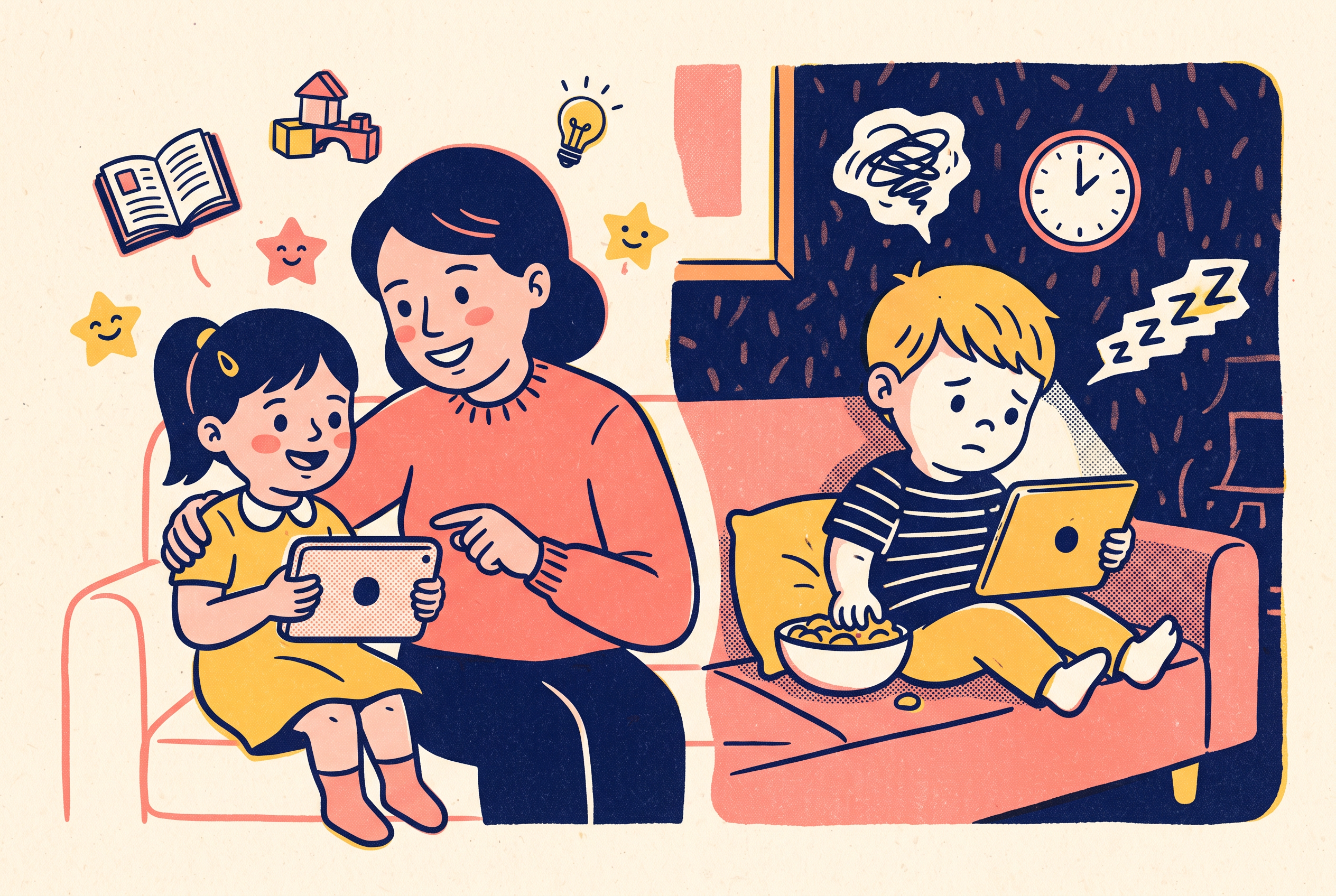
Passive screen time looks like the zombie state. The child stares with slack facial muscles, unblinking eyes, and an open mouth. Call their name from three feet away and they don't register your voice. When you turn off the screen, the response is rarely calm acceptance. It is immediate dysregulation, tears, or explosive anger. Rapid-fire animations and algorithmic feeds overwhelm the sensory system. For a deeper breakdown of app mechanics, read our guide on educational versus entertainment apps.
Active screen time looks completely different. The child talks to the screen, asks questions, laughs out loud, or copies movements the characters make. Their eyes scan the display on purpose instead of locking onto flashing focal points. When the session ends, their nervous system stays regulated. They might move straight into physical play, reenacting the story with wooden blocks or figurines. Pay attention to how media is cut and paced. In our analysis of why cartoon pacing matters for children, slower transitions give young brains time to process visual narratives without triggering a chronic stress response.
Co-viewing: how to make any screen time better in two minutes
Most parents assume co-viewing means sitting through an entire cartoon episode while fighting the urge to check work email. It doesn't. Co-viewing only needs a few intentional touchpoints that connect the digital world to real life.
Children under age six struggle with the video deficit effect. Young kids learn less from two-dimensional screens than from three-dimensional human interaction. When an adult steps in for just two minutes, that deficit shrinks. An isolated digital experience becomes a shared cognitive exercise.
Do it with three simple actions. First, label what is happening: 'Look, the red squirrel is gathering acorns because winter is coming.' Second, ask an open-ended prediction question: 'Where do you think he will hide them?' Third, tie the story to your child's real life: 'Remember when we collected acorns at the park on Tuesday?'
You can do this at the start of a show, halfway through an educational game, or during the closing credits. Those two minutes of adult involvement let the child process the media through language instead of pure sensory absorption. An isolated trance becomes a conversation.
Creating vs consuming: the test that matters most
If you want one reliable heuristic to separate good screen time vs bad screen time, use the creating-versus-consuming test. Ask a simple question: is my child generating an idea, or just receiving someone else's?
Consuming puts a child in the passenger seat. When a child watches endless unboxing clips or algorithmic toy demos, every plot point, aesthetic choice, and emotional beat is decided for them. Their only job is to keep looking so the platform can serve another impression. The brain sits in passive reception mode.
Creating puts the child in the driver's seat. In creative digital environments, the child makes the decisions. They choose colors, arrange story sequences, solve logic puzzles, or build virtual structures. If you want ways to bridge physical art and digital media, check out our guide on what to do with your child's drawings.
Creative screen time builds agency. When a child uses technology as a canvas or a tool for original thoughts, screen time becomes an extension of creative play. They learn that devices are for building things, not just for consuming entertainment. If a device only ever hands your child someone else's ideas, it's a TV with extra steps.
A quick checklist for judging any show or app
Before you hand your phone or tablet to a child, run the app or video through this five-point checklist. If it fails two or more, find a better option.
Pacing and scene transitions. Count the seconds between camera cuts. If the camera angle changes every one to two seconds, the content relies on unnatural visual jolts to hold attention. Pick media with steady camera work and slow, deliberate pacing.
Commercial incentives and advertising. Check for banner ads, in-app purchase prompts, or unboxing elements disguised as storytelling. High-quality media doesn't manipulate young children into begging for merchandise or microtransactions.
Autoplay and deliberate stopping points. Does the app queue another video the moment the last one ends? Quality apps include natural pauses or require an explicit choice to continue. Platforms built around endless autoplay undermine a child's emerging self-regulation.
Feedback loops and agency. When your child touches the screen, does the app demand thoughtful input, or does it set off fireworks no matter what they tap? Avoid apps that reward random finger-mashing with hyperactive sounds and lights.
The shutdown reaction. This is your clearest indicator. When screen time ends, does your child return to the real world with curiosity, or do they melt down right away? A meltdown after every session is a clear sign the media was dysregulating, not enriching.
Where creative, parent-guided apps like Pixley fit
Finding media that checks every positive developmental box is hard. Most mainstream children's content platforms are built for passive consumption, driving view duration through high-stimulation loops and ad revenue. That's why parent-guided creation tools matter.
Pixley approaches screen time from a different angle. Instead of placing kids in front of algorithmic feeds, Pixley turns kids' drawings and ideas into personalized animated cartoons, bedtime storybooks, and learning games. A child draws a character on paper, and that artwork becomes the hero of an animated world.
The system also puts parents back in the center of the experience. Parents can describe any lesson they want taught, and Pixley creates a cartoon episode around it, covering Social and Emotional Learning goals or specific educational topics. Whether you're working on sharing, emotional regulation, or bedtime routines, the screen becomes a tool for parent-directed instruction instead of a digital babysitter. By linking physical artwork to interactive stories and parental guidance, Pixley moves digital time into the category of active, creative play.
Conclusion
Screen time guilt is rarely about the screen itself. It comes from watching your child hand their attention over to algorithmic feeds that give nothing back. You don't need to ban tablets or time every minute with a stopwatch to raise a healthy, grounded child. You need to replace passive, ad-filled consumption with active, creative tools that keep parents in the loop.
Stop settling for passive entertainment that leaves your kids dysregulated. Download Pixley on iOS today, start your free trial, and turn your child's drawings and ideas into personalized cartoons and bedtime stories that reinforce the values you want to teach.
Frequently Asked Questions
What is the difference between active and passive screen time?
Passive screen time involves sitting back and passively consuming media, such as watching autoplaying videos or rapid-cut cartoons. Active screen time requires physical, cognitive, or verbal participation. Examples include drawing, solving puzzles, making choices in a story, or creating custom cartoons in creative apps like Pixley.
How much screen time should a 4-year-old have each day?
The American Academy of Pediatrics recommends limiting screen use for children ages 2 to 5 to no more than one hour per day of high-quality programming, while the World Health Organization recommends no more than one hour of sedentary screen time per day for children ages 3 to 4, with less being better. Both organizations emphasize that parents should co-view content and ensure media does not displace sleep, physical play, or human conversation.
Why does my child have tantrums when I turn off the tablet?
Tantrums often occur when media is overstimulating. Fast camera cuts, hyperactive sound effects, and continuous autoplay flood the brain with dopamine. When the screen turns off abruptly, the sudden sensory drop causes neurological dysregulation. Choosing slower-paced, parent-guided media prevents these severe behavioral crashes.
How can I tell if an educational app is actually good for my child?
Check if the app is ad-free, requires thoughtful input rather than random tapping, and encourages creative agency. Quality apps do not rely on aggressive reward loops or in-app purchase prompts. Platforms like Pixley focus on personalized storytelling and parental learning goals, keeping children actively engaged rather than passively entertained.
Sources
- https://publications.aap.org/pediatrics/article/138/5/e20162591/60503/Media-and-Young-Minds
- https://publications.aap.org/pediatrics/article/138/5/e20162592/60503/Media-Use-in-School-Aged-Children-and
- https://iris.who.int/bitstream/handle/10665/311664/9789241550536-eng.pdf
- https://www.who.int/news/item/24-04-2019-to-grow-up-healthy-children-need-to-sit-less-and-play-more
- https://pixleyai.com/
- https://iris.who.int/bitstream/handle/10665/325147/WHO-NMH-PND-2019.4-eng.pdf
- https://publications.aap.org/pediatrics/article/138/5/e20162591/60503/Media-and-Young-Minds; https://iris.who.int/bitstream/handle/10665/325147/WHO-NMH-PND-2019.4-eng.pdf